Introduction
Creating printed products traditionally requires several separate steps. Ideas need to be designed, prepared for print, checked against product specifications, and then submitted for production.
Mixam's Print Design Generator brings those stages together. The tool helps users generate print-ready designs from prompts, reference images, and guided design choices while automatically preparing files for production.
By connecting design generation, print specifications, and ordering in a single workflow, Mixam helps users move from concept to finished print with fewer manual steps.
What is the Print Design Generator tool?
Mixam’s Print Design Generator is a free, AI-powered tool that creates print-ready PDF designs. Rather than generating designs in isolation, the tool creates artwork around the specifications of the selected print product.
This helps reduce the time and effort required to prepare files for production.
Size, layout requirements, production settings, and output format are considered throughout the design process, without relying on separate design software or manual file preparation.
What can it do?
The Print Design Generator combines design creation, editing, and production preparation within a single workflow:
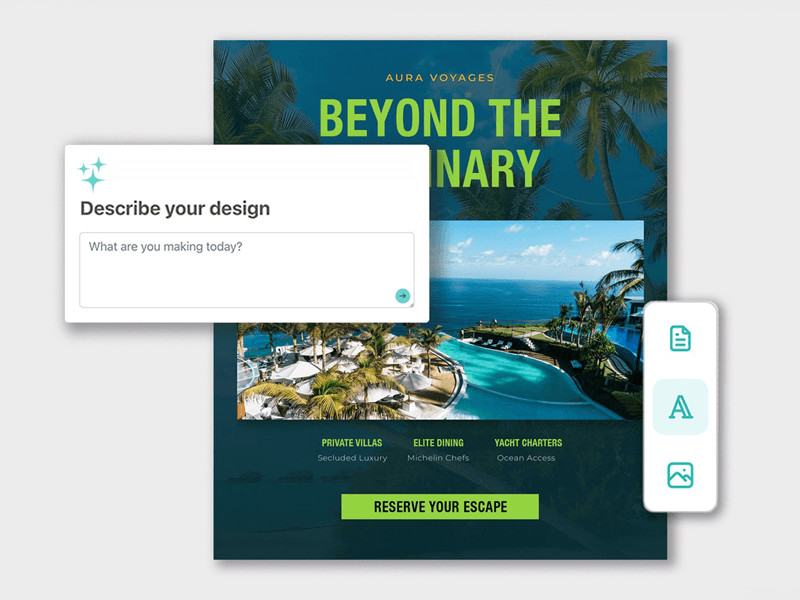
Generate Designs From a Prompt
You can start with a simple prompt and generate a complete design in seconds. The tool can create layouts, generate visuals, and develop concepts that match the selected product, fast-tracking your way to print without starting from a blank page.
Use Styles, Stock Images and References
You can control the design process using a range of visual inputs. The tool supports visual style selection, generated imagery, stock image libraries, and uploaded reference images. These options help you create designs that reflect your brand, campaign, or project requirements.
Edit Designs Your Way
Once a design has been generated, you can continue refining it. Changes can be made through the chat interface or directly on the design canvas. You can adjust text, fonts, images, layout, object placement, sizing, and layers directly in the tool. This allows you to develop designs quickly while maintaining control over the final result.
Create Print-Ready Files
Designs are generated according to the selected product specifications, including dimensions, print guidelines, and colour profile requirements. This reduces common setup issues and removes many of the manual steps typically required before you order print.
Connecting Design and Print Production
Many design tools focus on creating visual content. Print production requires something different. Designs must meet specific size requirements, follow print guidelines, and be prepared in a format suitable for production.
The Print Design Generator bridges that gap. It generates designs with print requirements in mind from the start, helping users move from creative concept to production-ready artwork within a single workflow.
This approach brings design creation closer to the final product, making print more accessible without sacrificing quality.
Built Into Mixam’s Ordering Flow
One of the biggest advantages of the Print Design Generator is its direct connection to Mixam's ordering system.
Product configuration, design creation, file preparation, quoting, and ordering all take place within the same environment. Users can make design decisions while working within the specifications of the final product.
This creates a more connected print workflow and reduces the need to move between separate tools during the ordering process.
Getting Started With the Print Design Generator
Visit our dedicated Print Design Generator support page to explore its features, check product availability, and learn how to create print-ready designs across a range of print products. The support page also includes step-by-step guidance to help you get started with your first project.
Please note that the Print Design Generator uses AI to help create and refine designs. Mixam does not use customer data to train its AI models.